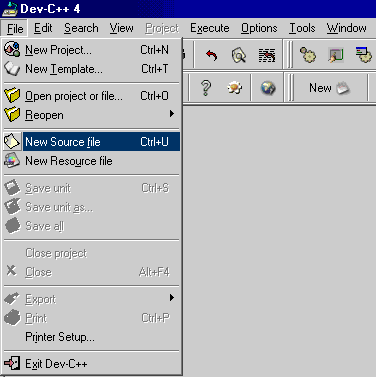
You will then see the main code editing window appear.
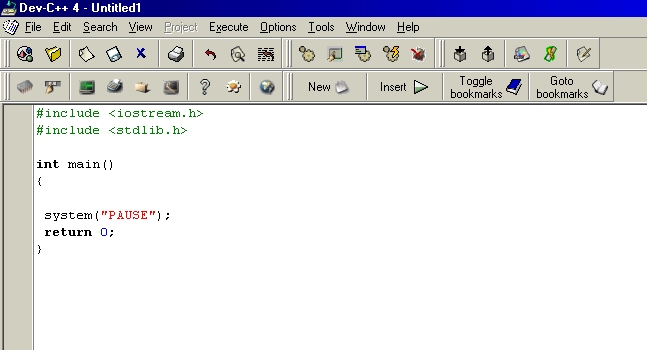
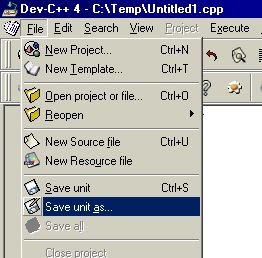
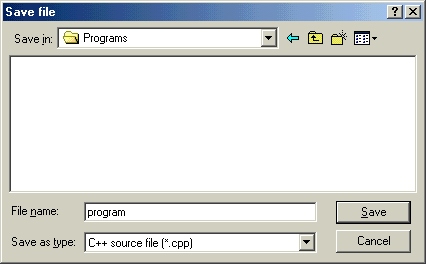
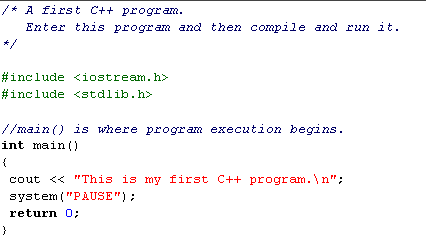

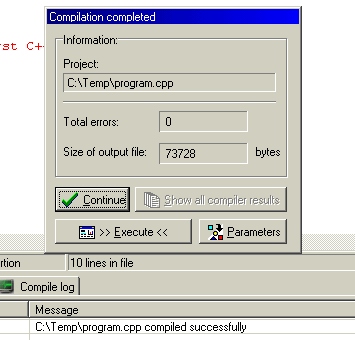
You can then click on the Continue button to close the compilation window.
eg. of error message
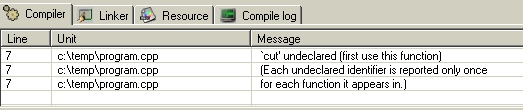
If you double click on the error message, the line containing the error will highlight.
eg.
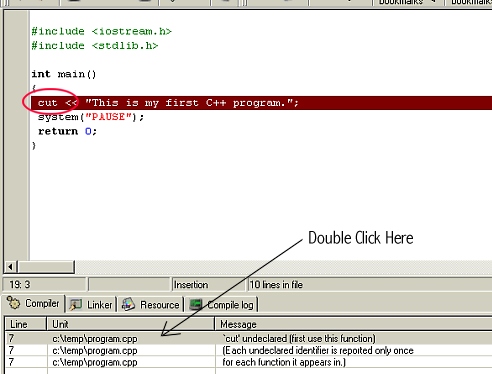
Error is a result of user typing "cut" instead of
"cout"

Let's examine each line in this program. First,
the program begins with the lines:
This is a comment. Like most other programming languages, C++ lets you enter a remark into a program's source code. The contents of a comment are ignored by the compiler. The purpose of a comment is to describe or explain the operation of a program to anyone reading its source code. In the case of this comment, it identifies the program. In more complex programs, you will use comments to help explain what each feature of the program is for and how it goes about doing its work. In other words, you can use comments to provide a "play-by-play" description of what your program does.
In C++, there are two types of comments. The one
you've just seen is called a multiline comment. This type of comment
begins with a /* (a slash followed by an asterisk). It ends only when
a */ is encountered. Anything between these two comment symbols is
completely ignored by the compiler. Multiline comments may be one or
more lines long. The second type of comment is found a little further
on in the program; we'll be discussing it shortly.
#include <iostream.h>
#include <stdlib.h>
The C++ language defines several files, called
header files, which contain information that is either necessary or
useful to your program. For this program, the file iostream.h and stdlib.h is
needed (It is used to support the C++ I/O system.). This file is
provided with your compiler. Later on you will learn more about
header files and why they are important.
// main( ) is where program execution begins.
This line shows you the second type of comment
available in C++: the single-line comment. Single-line comments begin
with // and stop at the end of the line. Typically, C++ programmers
use multiline comments when writing larger, more detailed
commentaries, and single-line comments when short remarks are needed.
However, this is a matter of personal style.
main()
All C++ programs are composed of one or more
functions. (Loosely speaking, a function is a subroutine.) Every C++
function must have a name, and the only function that any C++ program
must include is the one shown here, called main( ). The main (
) function is where program execution begins and (most commonly)
ends. (Technically speaking, a C++ program begins with a call to main
( ) and, in most cases, ends when main ( ) returns.) The opening
curly brace on the line that follows main ( ) marks the start of the
main ( ) function's code.
cout « "This is my first C++ program.";
This is a console output statement. It causes the message "This is my first C++ program." to be displayed on the screen. It accomplishes this by using the standard C++ output operator «. The « operator causes whatever expression is on its right side to be output to the device specified on its left side. cout is a predefined identifier that stands for console output and (most generally) refers to the computer's screen. Thus, this statement causes the message to be output to the screen. Notice that this statement ends with a semicolon. In fact, all C++ statements end with a semicolon.
The message "This is my first C++ program." is a
string. In C++, a string is a sequence of characters enclosed between
double quotes. As you will see, strings are used frequently in
C++. The system
system("PAUSE");
The system statement sends a command to the operating system. In this case, the command is "Pause". Without this line, the program would run and close very quickly. If you wish, try removing this line from the program and then re-compile and run the program.
return 0;
This line terminates main( ) and causes it to return the value 0 to the calling process (which is typically the operating system). For most operating systems, a return value of 0 signifies that the program is terminating normally. (Other values indicate that the program is terminating because of some error.) return is one of C++'s keywords, and it is used to return a value from a function. (return will be discussed in detail later in this course.) Technically, a return value from main( ) is optional, but desirable. Generally, all of your programs should return 0 when they terminate normally (that is, without error).
The closing curly brace at the end of the program formally concludes the program. Although the brace is not actually part of the object code of the program, conceptually you can think of a C++ program ending when the closing curly brace of main ( ) is executed. In fact, if the return statement were not part of this sample program, the program would automatically end when the closing curly brace was encountered.
It is quite easy to accidentally type something incorrectly when entering code into your computer. Fortunately, if you enter something incorrectly into your program, the compiler will report a syntax error message when it tries to compile it. Most C++ compilers attempt to make sense out of your source code no matter what you have written. For this reason, the error that is reported may not always reflect the actual cause of the problem. In the preceding program, for example, an accidental omission of the opening curly brace after the main ( ) function might cause some compilers to report the cout statement as the source of a syntax error. The point of this discussion is that when you receive syntax error messages, be prepared to look at the last few lines of code in your program in order to find the error.
Many C++ compilers report not only actual errors, but also warnings. The C++ language was designed to be very forgiving, and to allow virtually anything that is syntactically correct to be compiled. However, some things, even though syntactically correct, are highly suspicious. When the compiler encounters one of these situations it prints a warning. You, as the programmer, then decide whether its suspicions are justified or not. Frankly, some compilers are a bit too helpful and flag warnings on perfectly correct C++ statements. There are also compilers that allow you to turn on various options that report information about your program that you might like to know. Sometimes this information is reported in the form of a warning message even though there is nothing to be "warned" about.